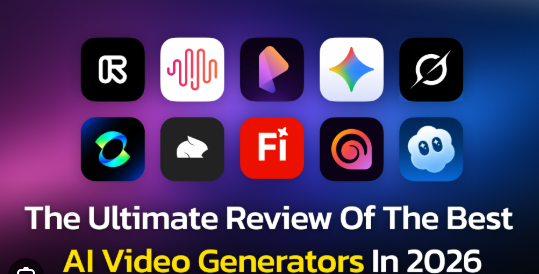
AI Video Generation Tools 2026 Best Platforms for Creators Businesses and Marketers
AI video generation tools 2026 have become more powerful than ever, enabling creators, businesses, educators, and marketers to produce professional-quality videos in minutes. Modern AI platforms can generate videos from text prompts, animate images, create AI presenters, edit footage automatically, and even add synchronized voiceovers and captions.
With dozens of platforms available, choosing the right tool depends on your goals, budget, and workflow. This guide compares some of the leading AI video generation tools in 2026 and highlights their strengths.
Why AI Video Generation Is Growing
AI video technology has advanced rapidly in recent years. Many platforms now support:
- Text-to-video generation
- Image-to-video animation
- AI avatars
- Automatic voiceovers
- Lip synchronization
- Video translation
- Background replacement
- AI editing
- Subtitle generation
- Social media optimization
These capabilities help creators produce videos much faster than traditional editing methods.
Best AI Video Generation Tools in 2026
Google Veo
Google Veo is widely recognized for producing highly realistic text-to-video content with strong prompt understanding, high-resolution output, and synchronized audio support. It is frequently recommended for creators seeking cinematic-quality AI videos.
Runway
Runway remains one of the most popular platforms for filmmakers and creative professionals. It offers advanced video generation, editing tools, motion control, and visual effects suitable for commercial projects.
Kling AI
Kling AI is known for creating realistic motion and cinematic visuals. It is commonly used for short films, advertisements, and high-quality image-to-video generation.
HeyGen
HeyGen specializes in AI avatar videos for business communication, training, sales, and marketing. It supports multilingual avatars and realistic voice generation, making it popular for corporate presentations and educational content.
Synthesia
Synthesia focuses on AI presenter videos and corporate learning materials. Organizations use it to create training videos, onboarding content, and internal communications without hiring actors or recording studios.
Luma Dream Machine
Luma Dream Machine is designed for fast creative experimentation. It generates visually engaging short clips from text or images and is widely used by artists and content creators.
Adobe Firefly
Adobe Firefly integrates AI-powered video generation with Adobe’s creative ecosystem. It is especially useful for professionals who already work with Adobe Creative Cloud and want commercially safer AI-generated assets.
Descript
Descript combines AI-powered video editing with transcription, voice cloning, screen recording, and podcast editing. It is ideal for creators who need to edit videos by editing text.
How to Choose the Right Tool
When selecting an AI video generator, consider:
- Video quality
- Ease of use
- Export resolution
- AI avatar support
- Voice generation
- Language support
- Editing capabilities
- Pricing
- Commercial licensing
- Collaboration features
The best choice depends on your specific content creation needs.
Best Tools by Use Case
| Use Case | Recommended Tool |
|---|---|
| Cinematic videos | Google Veo, Runway |
| Marketing videos | HeyGen, Synthesia |
| Social media content | Kling AI, Luma Dream Machine |
| Training videos | Synthesia |
| AI presenters | HeyGen |
| Video editing | Descript |
| Creative projects | Adobe Firefly, Runway |
These recommendations reflect current industry comparisons and testing published during 2026.
Benefits of AI Video Generation
AI-powered video tools can help users:
- Reduce production time
- Lower video creation costs
- Create multilingual content
- Produce videos without cameras
- Generate content for social media
- Improve marketing efficiency
- Scale content production
These advantages have contributed to widespread adoption across industries.
Things to Consider
While AI video tools continue to improve, users should also keep in mind:
- Generated content may still require manual editing.
- Some platforms limit usage on free plans.
- Commercial licensing varies by provider.
- AI-generated media should be used responsibly and transparently where appropriate.
Future of AI Video Creation
The next generation of AI video platforms is expected to focus on:
- Longer and more consistent videos
- Better character continuity
- Enhanced editing controls
- Higher resolutions
- Improved voice synchronization
- More collaborative workflows
Recent developments also show major technology companies continuing to invest heavily in generative AI for images and video.
Final Thoughts
AI video generation tools 2026 offer powerful solutions for creators, businesses, educators, and marketers. Whether you need cinematic storytelling, AI avatars, social media content, or professional training videos, today’s platforms provide faster workflows and increasingly realistic results. Evaluating features, pricing, and intended use cases will help you select the platform that best fits your creative and business goals.
Frequently Asked Questions
What are AI video generation tools?
They are software platforms that use artificial intelligence to create or edit videos from text, images, audio, or existing footage.
Which AI video generator is best in 2026?
Google Veo, Runway, Kling AI, HeyGen, and Synthesia are among the leading platforms, though the best choice depends on your specific needs.
Can AI generate videos from text?
Yes. Most modern AI video generators can create short videos directly from text prompts.
Which tool is best for AI avatars?
HeyGen and Synthesia are widely recognized for creating realistic AI presenter videos.
Are AI video generators free?
Many platforms offer free plans or trial credits, while advanced features typically require a paid subscription.
Can businesses use AI-generated videos commercially?
Many platforms allow commercial use under their licensing terms, but users should review each provider’s policy before publishing.
Are AI-generated videos suitable for YouTube?
Yes. Many creators use AI video tools for YouTube, provided the content complies with platform guidelines and copyright rules.
Do AI video tools support multiple languages?
Many leading platforms include multilingual voice generation, translation, and subtitle features.
Can AI replace traditional video editing?
AI can automate many editing tasks, but human review and creative direction remain important for high-quality productions.
What should I consider before choosing an AI video tool?
Look at output quality, editing features, pricing, language support, licensing, collaboration tools, and how well the platform matches your intended use case.
Related Posts

Donna Raye Bautista: Biography, Career, Family, Background, and Facts You Should Know

Taylor Breesey Face