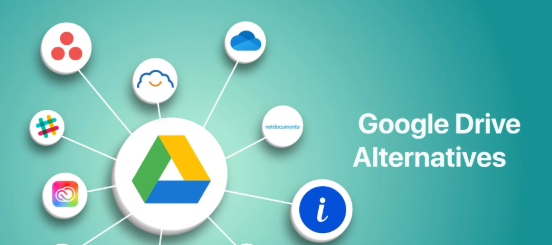
Cloud Storage Alternatives Best Secure Services for Personal and Business Use
Cloud storage has become an essential part of everyday life, allowing users to store files, access documents from multiple devices, and collaborate with others online. While popular services such as Google Drive, Dropbox, and Microsoft OneDrive dominate the market, many users search for cloud storage alternatives that offer stronger privacy, lower prices, larger storage capacities, or specialized features.
Whether you’re an individual, student, freelancer, or business owner, choosing the right cloud storage provider depends on your security needs, budget, collaboration requirements, and available storage space.
What Are Cloud Storage Alternatives?
Cloud storage alternatives are online services that allow users to store, sync, back up, and share files without relying on the most widely used platforms. Some alternatives focus on privacy and encryption, while others emphasize collaboration, affordability, or large storage plans.
Many providers offer free plans alongside premium subscriptions for users who need additional storage and advanced features.
Why Consider a Cloud Storage Alternative?
People look for alternative cloud storage services for several reasons:
- Better privacy protection
- End-to-end encryption
- More affordable pricing
- Larger storage capacity
- Faster file synchronization
- Improved collaboration tools
- Better support for businesses
- Data residency preferences
The best choice depends on how you use cloud storage.
Popular Cloud Storage Alternatives
Some well-known cloud storage providers include:
- Google Drive
- Dropbox
- Microsoft OneDrive
- iCloud Drive
- Proton Drive
- Sync.com
- pCloud
- MEGA
- Box
- Tresorit
- IDrive
- Nextcloud (self-hosted option)
Each platform offers a different balance of storage, security, and collaboration features.
Features to Compare
Before choosing a cloud storage service, compare features such as:
- Storage capacity
- File synchronization
- Automatic backup
- End-to-end encryption
- Version history
- File sharing
- Collaboration tools
- Mobile applications
- Desktop support
- Cross-platform compatibility
Evaluating these features helps you select a provider that meets your needs.
Security and Privacy
Security is one of the most important factors when selecting cloud storage.
Look for services that provide:
- Data encryption during transfer
- Encryption while files are stored
- Multi-factor authentication
- Secure file sharing
- Access controls
- Privacy-focused policies
- Regular security updates
If you store sensitive information, end-to-end encryption can provide an additional layer of protection.
Free vs. Paid Plans
Most cloud storage providers offer both free and premium options.
Free plans typically include:
- Limited storage
- Basic sharing features
- Standard security
- Mobile and desktop access
Paid plans may include:
- More storage
- Advanced collaboration
- Business management tools
- Priority support
- Additional security features
- File recovery options
Choose a plan based on your storage and collaboration requirements.
Choosing the Right Service
When selecting a cloud storage provider, consider:
- How much storage you need.
- Whether you collaborate with others.
- Your budget.
- Privacy requirements.
- Supported devices.
- Ease of use.
- Customer support.
- Integration with other software.
Testing a free plan before upgrading is often a good way to evaluate a service.
Tips for Secure Cloud Storage
To protect your files:
- Enable multi-factor authentication.
- Use strong, unique passwords.
- Share files only with trusted people.
- Review account permissions regularly.
- Keep your devices updated.
- Back up important files in multiple locations.
Following good security practices helps reduce the risk of unauthorized access.
Things to Remember
Before moving to a new cloud storage provider:
- Compare pricing.
- Check storage limits.
- Understand privacy policies.
- Review backup options.
- Verify platform compatibility.
- Consider future storage needs.
Making an informed decision can save time and money in the long run.
Final Thoughts
Choosing the right cloud storage alternative depends on your personal or business requirements. While mainstream services remain popular, many alternative providers offer excellent security, privacy, collaboration, and storage options. By comparing features, pricing, and security measures, you can find a cloud storage solution that fits your workflow and keeps your data protected across all your devices.
Frequently Asked Questions
What are cloud storage alternatives?
Cloud storage alternatives are online services that let users store, synchronize, back up, and share files outside of the most common platforms.
Why should I consider a cloud storage alternative?
You may find better privacy, stronger encryption, lower prices, or features that better suit your personal or business needs.
Which cloud storage service is best for privacy?
Privacy-focused providers often offer end-to-end encryption and stronger data protection features, making them a good choice for sensitive files.
Are free cloud storage plans enough?
Free plans are suitable for basic file storage, but users with larger storage or collaboration needs may benefit from paid plans.
What security features should I look for?
Important features include encryption, multi-factor authentication, secure file sharing, version history, and access controls.
Can I use multiple cloud storage services?
Yes. Many people use different services for backups, work documents, photos, and personal files.
Is cloud storage safe?
Reputable providers invest heavily in security, but users should also enable strong passwords, multi-factor authentication, and regular backups.
How much cloud storage do I need?
Your needs depend on the size and type of files you store. Photos, videos, and business documents generally require more storage than text files.
Can I switch cloud storage providers later?
Yes. Most providers allow you to download your files and upload them to another service if you decide to switch.
What is the most important factor when choosing cloud storage?
The best choice depends on your priorities, including storage capacity, security, privacy, collaboration features, pricing, and ease of use.